
Rituals
Chores say what needs doing. Rituals say who we are: small moments that come back and that the family knows. WuselWall has a few of them: birthdays, looking forward, family traditions, meal wishes, the question at the table and the look back at our week.
For all of them:
- A ritual is never a chore. It earns no points, keeps no streak and cannot be "missed". If you skip it, nothing is left behind.
- Nobody is compared. Nothing counts one person against another.
- No notifications. Rituals show up where you look anyway: on the wall, on Today and on the children's My day.
- Everything can be switched off, each one on its own, under Settings → Rituals (see All settings). At the start everything is on.
Birthdays
You enter a birthday on the person's page: Settings → Members, tap the person, Birthday → Choose a date (see Edit a member). Everyone can enter their own; guardians enter everyone else's.
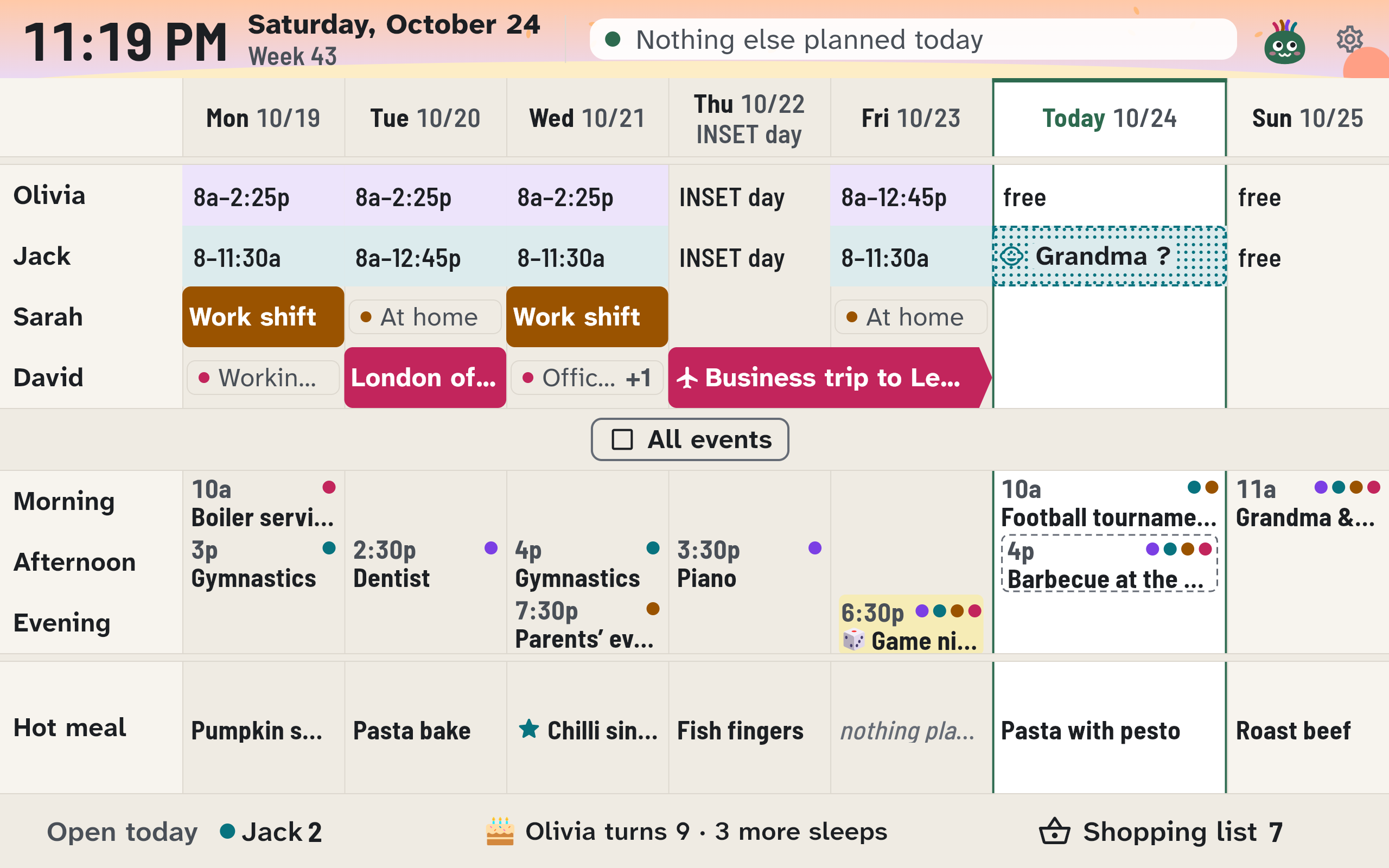
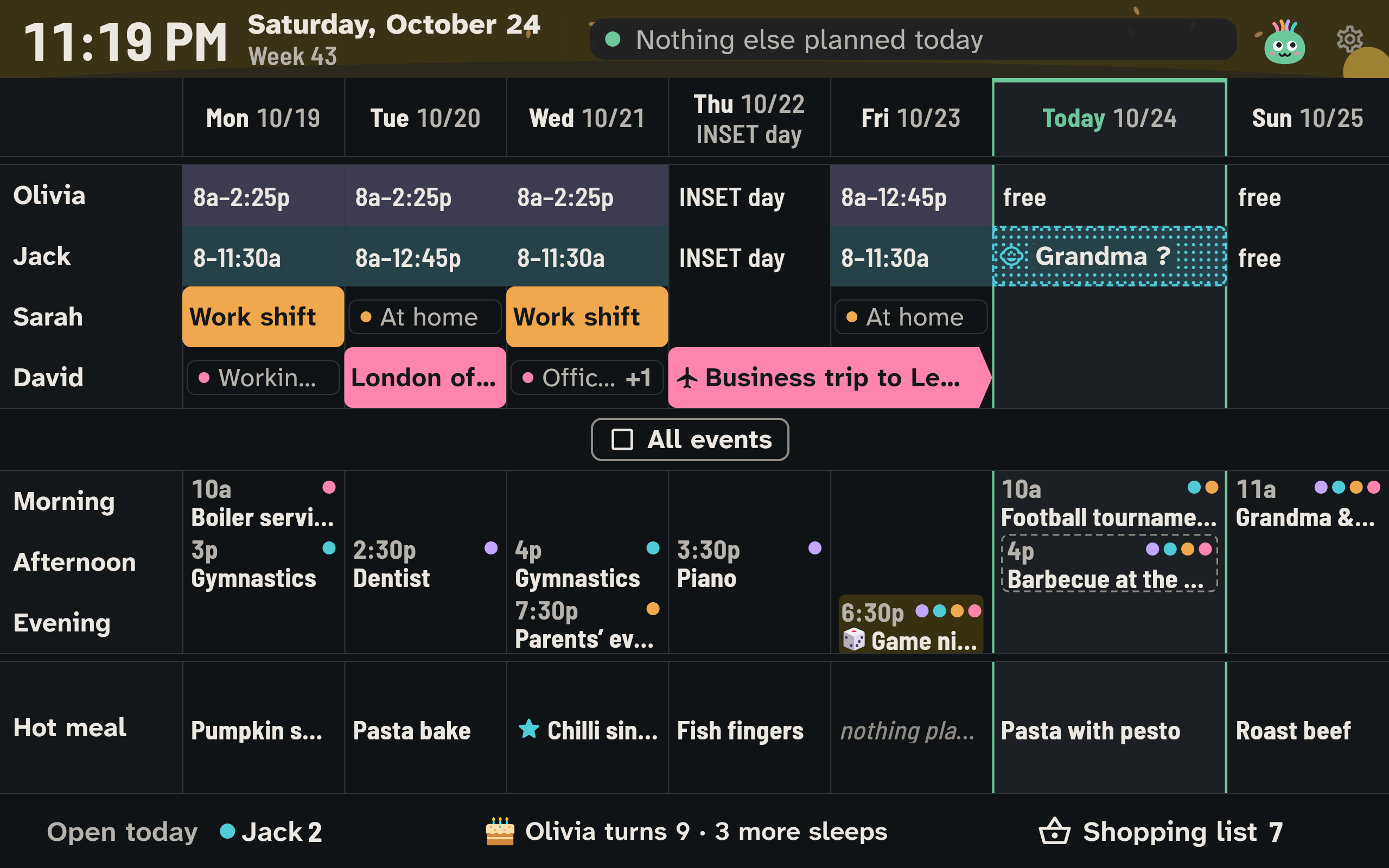
Before the day it is counted down (see Looking forward), with the age the person turns: "Emma turns 9 · 3 more sleeps". On the wall the birthday stands under the date of its day all week, with a cake: "Emma turns 9". On the day, bunting in the person's colour hangs over the wall, Wusel wears the party hat, Today shows a birthday card, and on the kids' tablet Wusel cheers for the birthday child. With the occasion Birthdays switched off under Seasons and occasions (see Wusel and colours), none of this happens; the countdown stays.
Grandparents and friends stay yearly events, as before; you can mark them for looking forward.
In a subscription to the family calendar each birthday is a yearly all-day event, without the age. When someone is No longer with us, their birthday is deleted.
Looking forward
"How many more sleeps?" The wall answers before anyone asks. There is a countdown for:
- every person's birthday
- the first day of the school holidays
- an adult coming home from a trip of two nights or more ("David comes home")
- any event with We are looking forward to it switched on in the editor, such as the trip to the zoo (see Calendar)
You see it on the wall in the footer, as many as fit; on My day under Looking forward to (the child's own countdowns and the whole family's); and on Today as one line with the nearest countdown.
Children and the wall count in nights up to a week ahead ("3 more sleeps"), and in days before that ("9 more days"). Adults read "in 3 days". The day before says Tomorrow!, the day itself Today!, and Wusel waves at the top of the wall. Then the countdown is gone.
How many days ahead it starts is set by Start looking forward (default 14 days, 7 to 60). Count down to a parent's return (default on) switches off the countdown for trips.
Family traditions
Game night, pizza Friday, Sunday breakfast: whatever your family does again and again is easiest to start in the calendar with New tradition. You choose from Game night, Pizza Friday, Film night, Sunday breakfast, Story time and Day out, or Your own tradition. WuselWall fills in the editor: every week, the whole family, with a picture, and for Pizza Friday pizza for dinner. You change the day and time there before you save. Any repeating event also becomes a tradition when you switch on Family tradition in the editor. A tradition is always on the wall, even without Show on the kitchen display, with a lemon-yellow ribbon and its picture. Under With a meal you note which meal belongs to it, and whether it is lunch or dinner. When that meal is still free on the tradition's day, the meal plan suggests it; one tap plans it. It never lands on the plan by itself.
On a tradition's day Wusel says in the morning on the wall, for example, "It's Game night today!".
If a tradition doesn't happen one week, delete Only this event. Nothing remembers that it was skipped.
Meal wishes
Each child may wish for a meal; you decide how many wishes may be open at once (one by default). That way the children have a say in the meal plan.
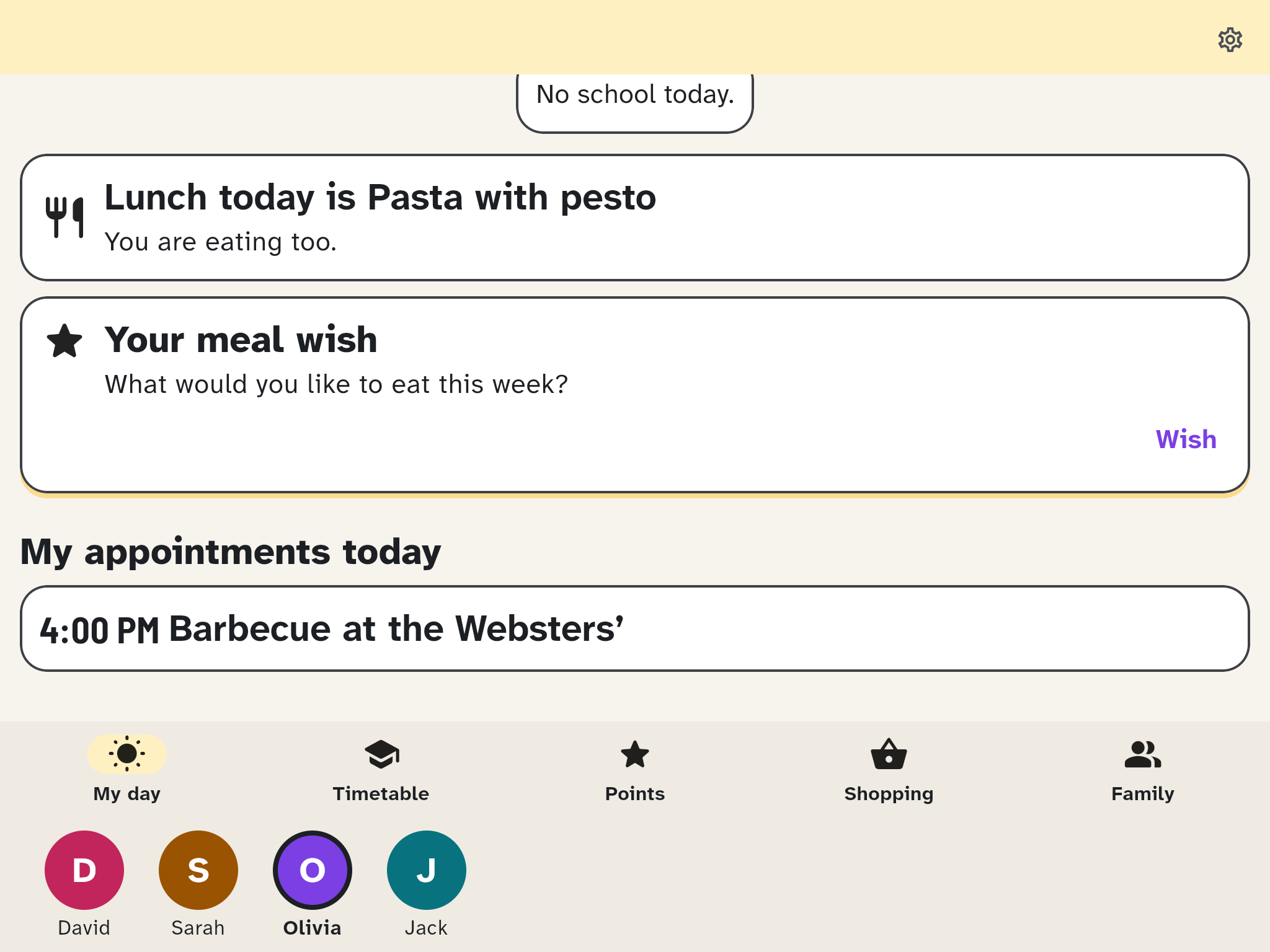
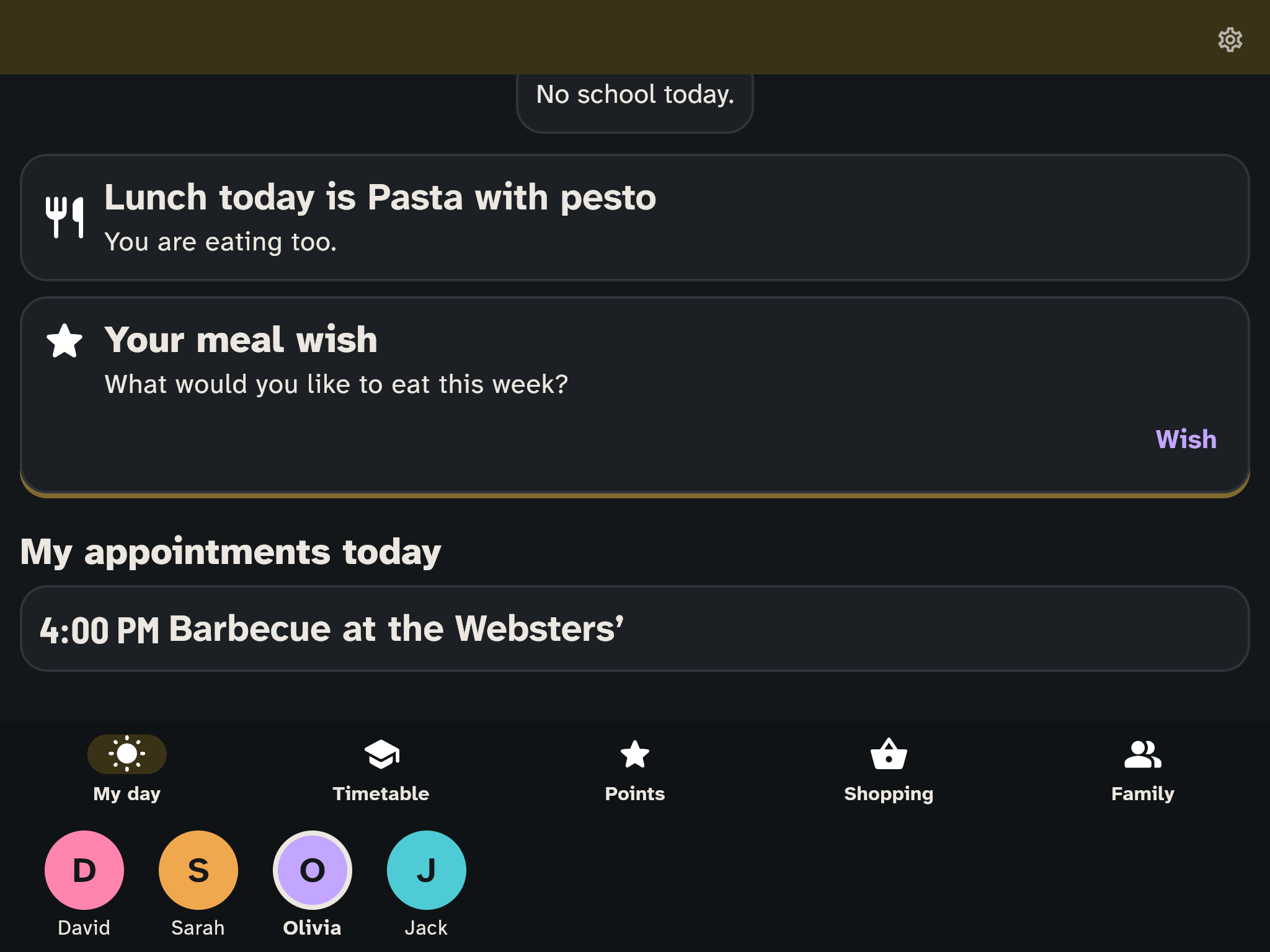
- On My day there is the card Your meal wish. Wish opens the choice: first Family favourites, the meals you have cooked most often lately, then Our recipes, each with a picture (with many recipes, Find a recipe helps), and at the bottom Something else with a few words, such as "pancakes", and a picture to go with them (Pick a picture). With Wish for this the wish is on its way. Until it is planned it can be changed.
- The grown-ups see the wishes at the top of the meal plan under Wishes, each with its picture, and as a quiet card on Today. Tap a wish, pick a day and a meal, and it is planned.
- When everyone may wish, the grown-ups wish for themselves in the meal plan: Make a wish in the Wishes row opens the same choice, and Change my wish changes the open one.
- Once planned, the meal carries a star and "Jack's wish" in the plan and on the wall. The child's card then says, for example, "Your wish Pancakes is on Thursday!".
A wish is never turned down in the app. A wish that isn't planned simply keeps waiting, the next week marked from last week. After four weeks a wish that was never planned quietly leaves the list and no longer counts; the child can simply wish for something new. Guardians can remove a wish; why is something you talk about together.
Who may wish is set by Meal wishes: Children (default), Everyone or Off. Open wishes per person allows up to three at once (default 1).
Question at the table
A question for the table, answered aloud. Nothing is recorded: not who answered, not what, not even whether the question was asked.
The question appears during the meal: at the top of the wall's header, on My day and on Today. Every device shows the same question, and none comes back before all the others have had their turn.
- Another question shows the next one, but only on that device. Just say "take the next one".
- For a riddle, Show the answer reveals it.
- Our questions (on the question's card on Today): with Add a question anyone writes their own. They show "Question from Olivia". An own question is removed by whoever wrote it or by a guardian.
- A bundled question that doesn't suit you is taken out by a guardian with Don't ask this one again. Under Questions we left out, Ask again brings it back.
Settings: Question at the table applies to the Warm meal (default), to Lunch and dinner, or is Off. Question at lunch and Question at dinner set the times; no meal has to be planned for it. The default follows your region's country: 11:30 to 13:30 and 17:30 to 19:30, in France 19:00 to 21:00 for dinner, in Spain 13:30 to 15:30 and 20:00 to 22:00. Questions for: All ages works for a five-year-old, Older children too adds deeper questions for 8 and over.
Languages
Each device shows the questions in its own language: about 150 in German and English, 50 in French and Spanish for now.
Our week
On Sunday you look back together at Our week: what we did. From Sunday 16:00 until Monday 10:00 there is a card on Today and My day, and a tile in the wall's footer. A tap opens a story of up to five cards, one at a time, filling the screen:
- On with a tap on the right, a swipe to the left or the arrow key; back with a tap on the left third, a swipe to the right or the other arrow key. The arrows at the bottom do the same.
- The bars at the top show how many cards there are and where you are. After the last card, with Close or with Esc, the look back closes.
- A card with nothing in it is left out, such as Our traditions in a week without one. With "reduce motion" on the device, the next card appears without sliding. Screen readers say "Card 2 of 4".
- What we did together: the whole family's chores done, as one number
- Everyone had a moment: one line for each person, such as a new badge, a day with everything ticked off, "was there for Games night" for a tradition or a key event, or simply "was part of our week". Nobody gets two, and nothing is a number compared with someone else's.
- Yum: the week's meals, wishes with a star, new recipes marked "new"
- Our traditions: the traditions that happened
- Next week we look forward to: the nearest countdowns
Points, chores not done or a broken streak never appear in the look back. When it appears is set by Our week: a weekday and a time, or off. It stays until 10:00 the next morning. On the wall it returns to the week by itself after a while, like every detail.