
Apps and automations
With a key from WuselWall, another app works with your family's data as one person. Siri, Shortcuts and other automation apps can read and add things. The examples below use Apple's Shortcuts; other apps send the same requests.
With the Shortcuts app on the iPhone you talk to WuselWall through Siri: "Hey Siri, shopping list" – "What do you need?" – "Milk and two cucumbers" – "Milk and Cucumbers (2×) are on the list." No extra app is needed, only a key from WuselWall.
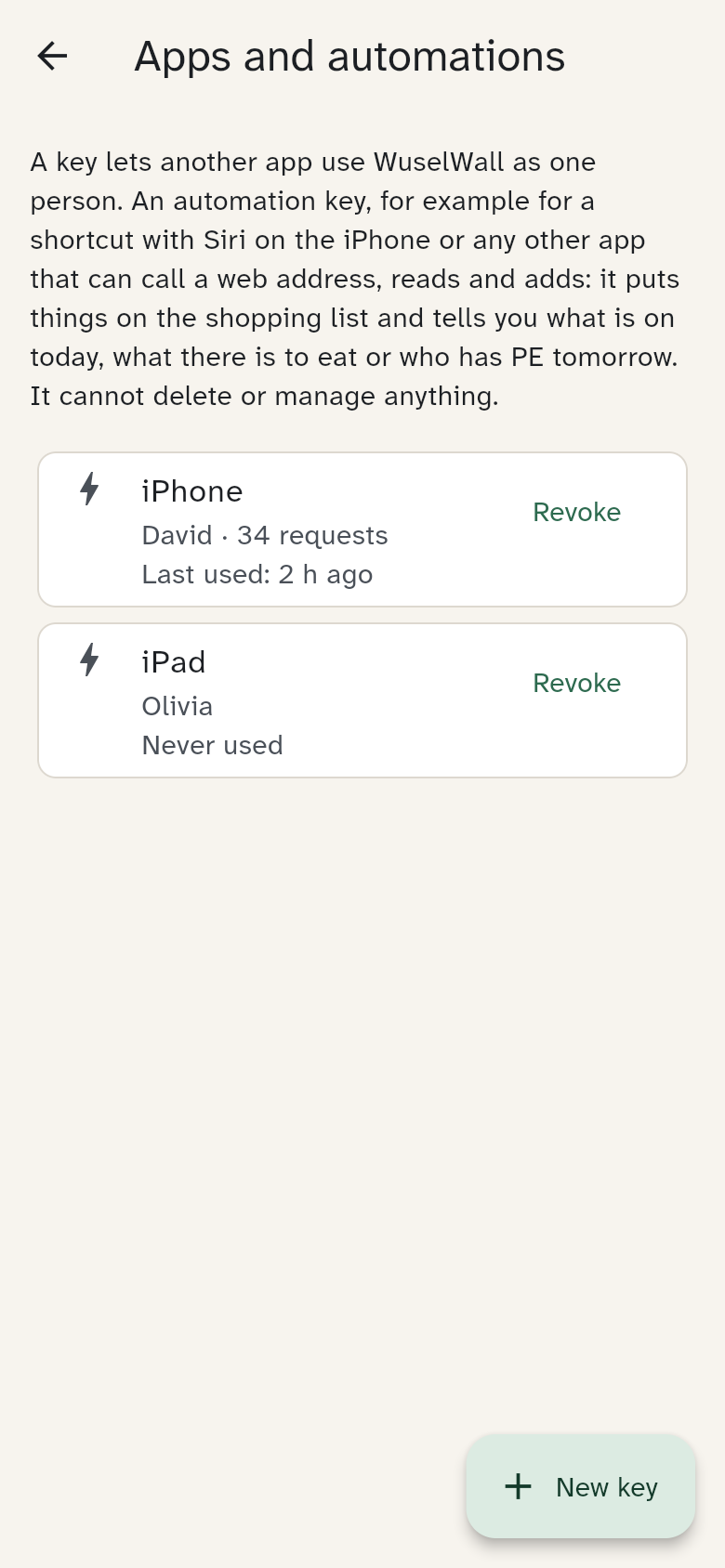
What a key may do
A key belongs to one person. A shortcut with that key acts as that person: it ticks their tasks and tells their points.
- It can read: the day, the meals, the timetable, who is home, the points.
- It can add: put things on the shopping list and tick one of the person's own tasks.
- It can neither delete nor manage anything: no changing events, no correcting points, no settings. That holds for a guardian's key too.
- A key adds something at most 100 times a day. If a shortcut runs in a loop by mistake, that is where it stops.
Creating a key
- Open Settings → Advanced → Apps and automations and tap New key.
- Give it a name, for example "iPhone".
- As a guardian, choose the person under For whom?. Everyone else creates their own key on their own phone.
- Tap Create key.
The key is shown only once, together with your server's address. Copy both. Whoever has the key can read and add as that person, so treat it like a password. The Shortcuts app syncs it through iCloud to your other Apple devices.
The first shortcut: shopping list
- Open the Shortcuts app and tap +.
- Add the action Ask for Input. Question: "What do you need?"
- Add Get Contents of URL:
- URL: the address from WuselWall with
/shoppingat the end, for examplehttps://api.example.org/functions/v1/shortcuts/shopping - Method: POST
- Headers: key
Authorization, valueBearer(with a space) followed by your key - Request Body: JSON, field
textwith the value Provided Input
- URL: the address from WuselWall with
- Add Show Result (or Speak Text if Siri should read the answer aloud).
- Name the shortcut Shopping list. From now on, "Hey Siri, shopping list" is enough.
WuselWall understands amounts: "2 litres of milk" becomes milk with "2 l", "3 apples" becomes apples (3×). Separate several things with "and" or a comma. Something already on the list is counted up instead of added twice.
Every shortcut
Every shortcut is built like the one above: Get Contents of URL with method POST, the Authorization header and a JSON body. Only the end of the address and the fields change.
| Shortcut | Address ends in | Fields in the JSON | Answer, for example |
|---|---|---|---|
| Shopping list | /shopping | text: what goes on the list; list: a list other than the default one (optional) | "Milk is on the list." |
| What's on today? | /today | day: "tomorrow", a weekday or a date (optional) | "Today: 08:30 Dentist (Olivia). Meals today: Dinner: Spaghetti." |
| What's for dinner? | /meals | day (optional) | "Meals today: Dinner: Spaghetti. Sarah is cooking." |
| My points | /points | – | "You have 42 points." |
| Task done | /chore | text: which task | "Done: Empty the dishwasher. 2 points added." |
| School | /school | text: the question, such as "Does Olivia have PE tomorrow?" | "Yes, Olivia has PE tomorrow, period 3 (09:55–10:40)." |
| When is … back? | /presence | text: the question, such as "When is Sarah back?" | "Sarah is travelling until Friday 23 October and back on Saturday 24 October." |
For School and When is … back?, let the shortcut Ask for Input first, as for shopping, and send the whole question as text. WuselWall finds the name, the day and the subject in it; the subject is matched by the name your timetable gives it. Without a day, School means the next day, because packing usually happens the evening before. If no name is in the question, it is about you.
Task done ticks only your own tasks and those not yet assigned to anyone. If several tasks match, WuselWall asks instead of guessing. Without text, the shortcut lists what is still open.
Language
Answers come in the iPhone's language when it is German, English, French or Spanish, otherwise in the household's language. The field lang (de, en, fr or es) sets it.
Revoking a key
If a phone is lost, or someone no longer needs the shortcut, tap Revoke in the list. It takes effect at once: the shortcut then only answers that it is no longer valid. The list shows when a key was last used. When someone leaves the family, their keys are revoked automatically.
Guardians see and revoke every key of the family, everyone else their own. The data export lists each key with its name and date, but not the key itself.
Without an iPhone
A shortcut is an ordinary web request. Any app that can send a request with a header works the same way.